Higlass Usage Guide
Step 1 of 5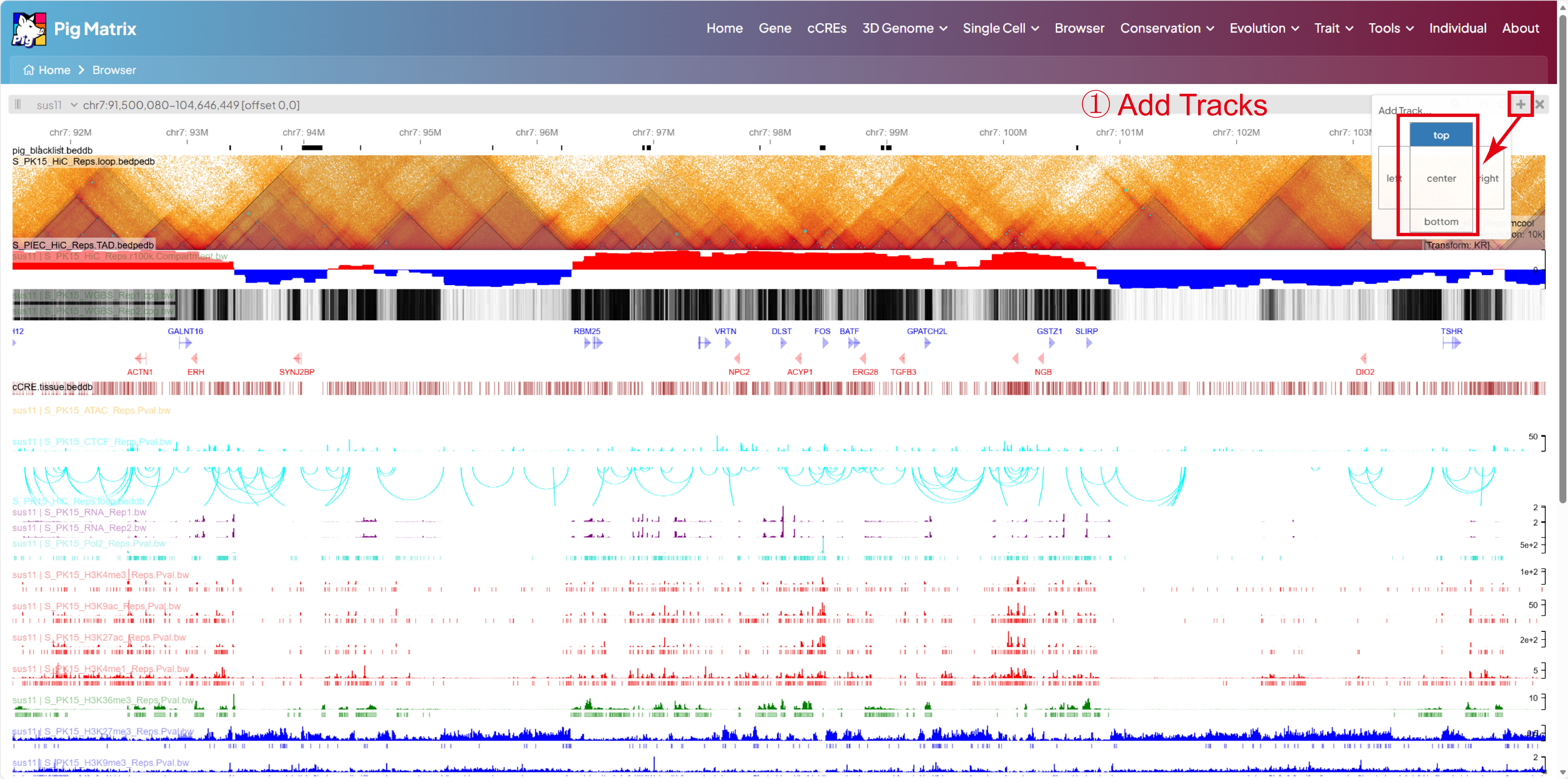
Add Tracks
Follow the instructions in the image above.
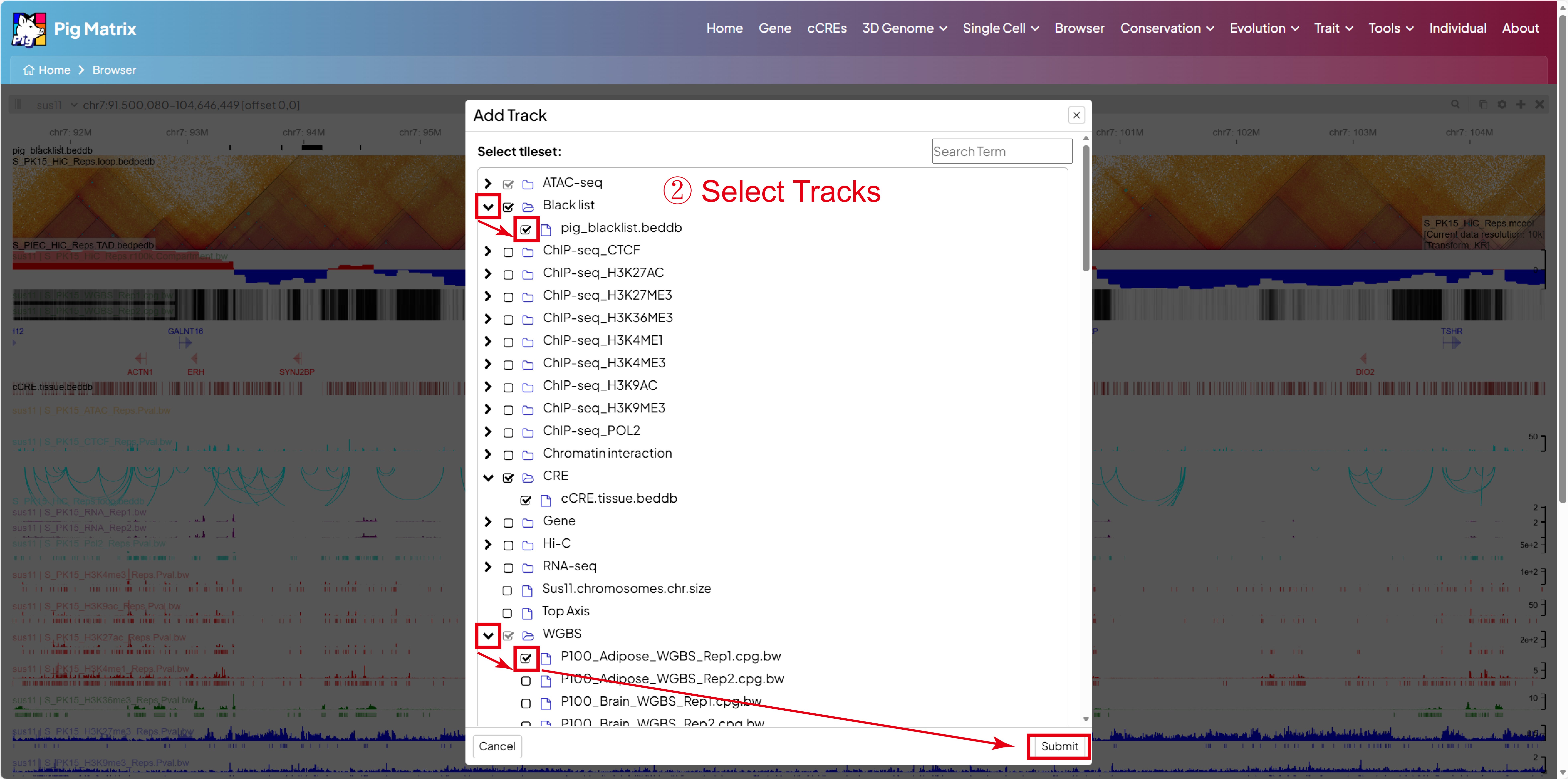
Select Tracks
Follow the instructions in the image above.
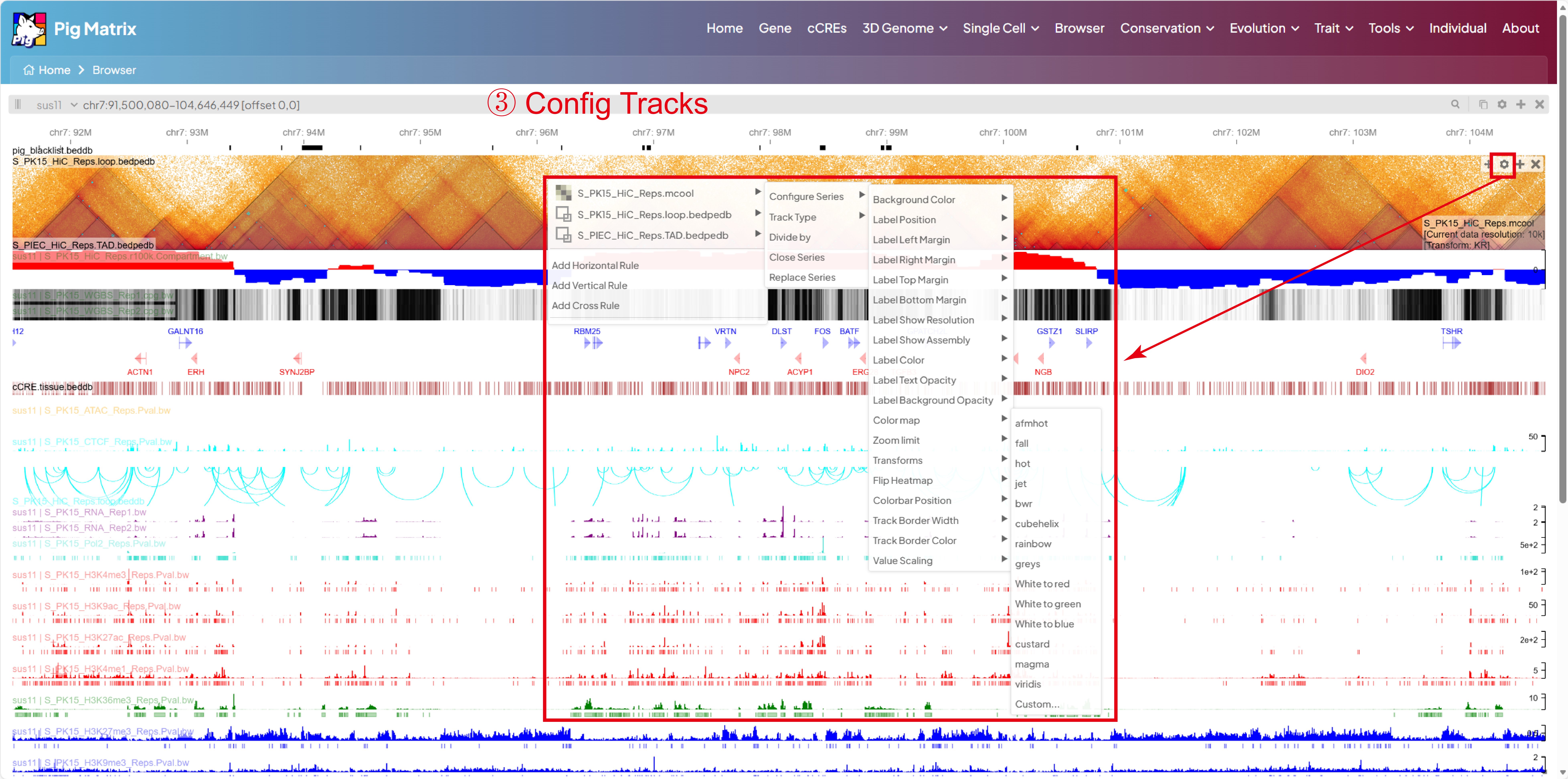
Config Tracks
Follow the instructions in the image above.
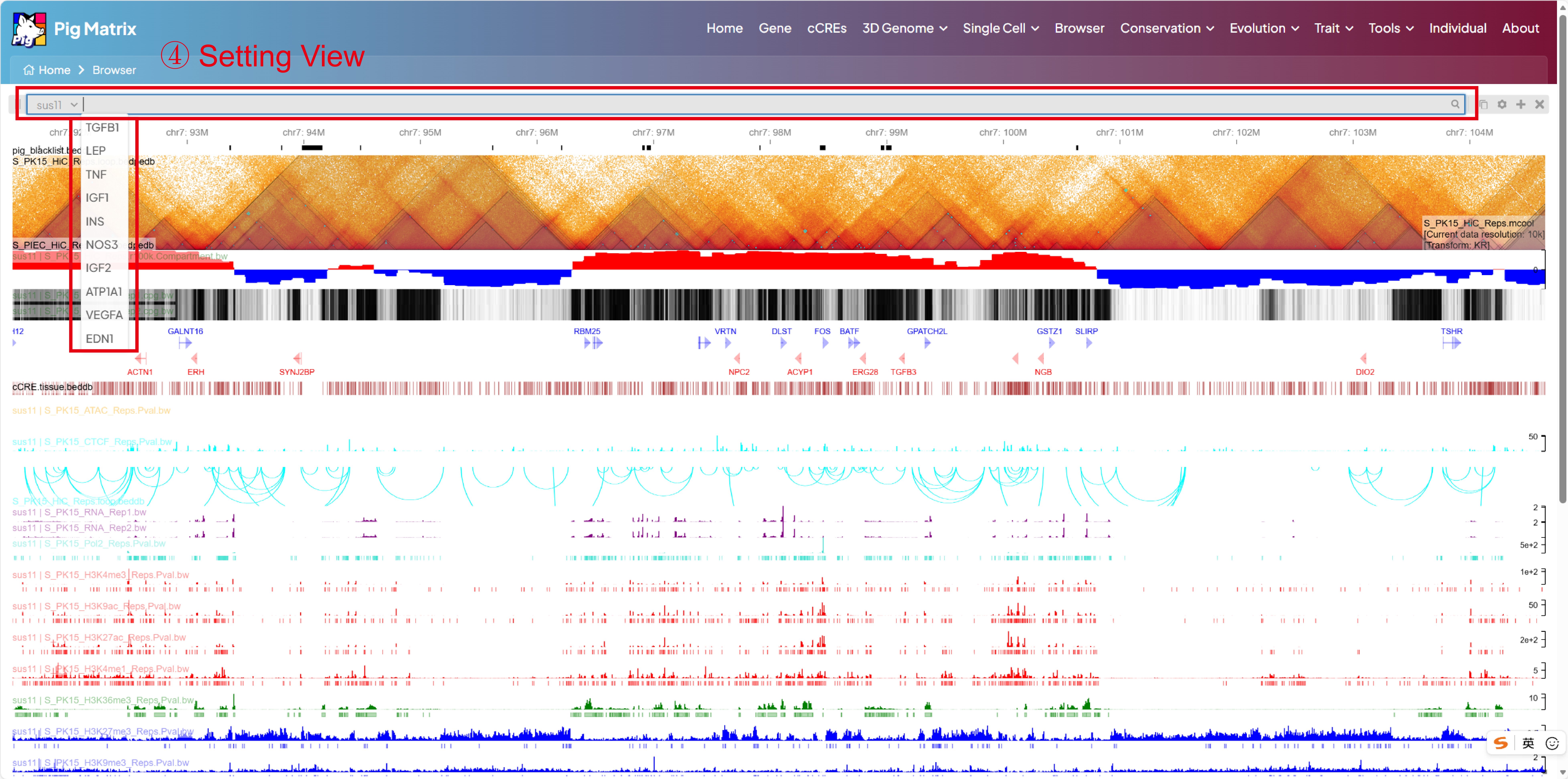
View
Follow the instructions in the image above.
Tip: If a track looks cut off or squeezed, drag the resize handle at the bottom-right corner of the view downward to extend the viewport until every track is fully visible.
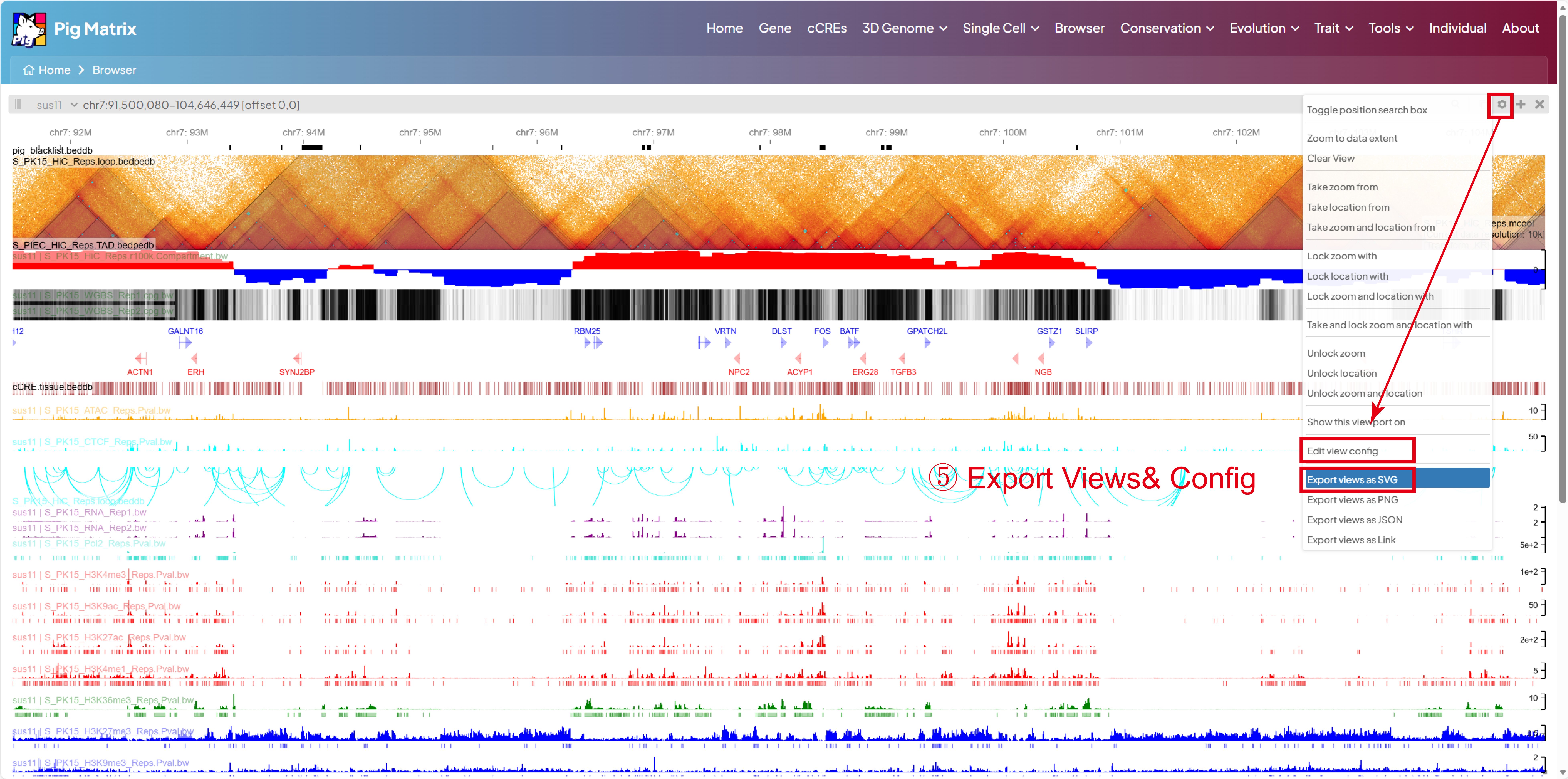
Export views
Follow the instructions in the image above.